

When building a website, it’s easy to focus all your energy on creating great content and attracting links from other sites (backlinks). But one of the most powerful, yet often overlooked, strategies for SEO and user experience lies right under your nose: internal linking.
Internal linking is one of those “boring but brutal” levers in SEO. When it’s done right, rankings move. When it’s sloppy, you waste a lot of link equity and confuse both users and Google.
Here’s a clean must / must-not list you can almost plug straight into an article or SOP.
So… What is internal linking (and why should you care)?
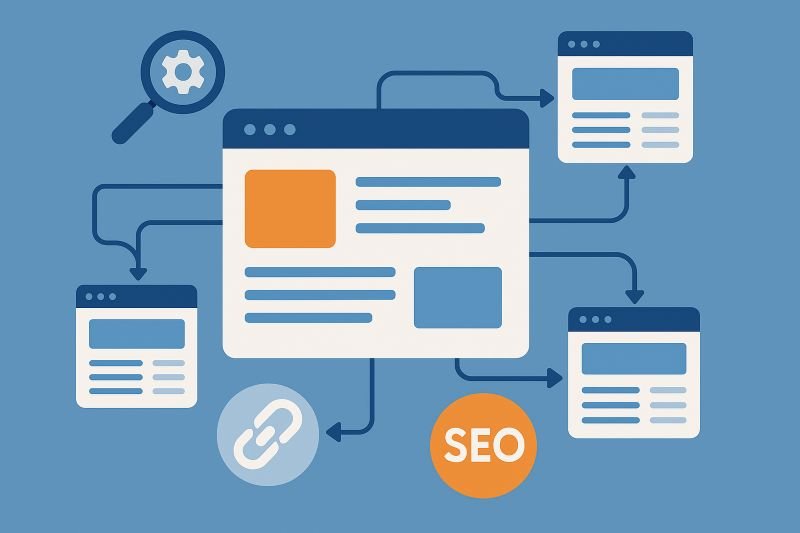
Internal links are simply links from one page of your website to another page on the same domain.
They help:
- Users discover more of your content
- Search engines understand how pages relate to each other
- Authority (link equity) flow from strong pages to pages that need a boost
So every internal link is carrying a message:
- “This page exists.”
- “This page is connected to that page.”
- “This anchor text is how I describe that page.”
If backlinks are how the rest of the web “votes” for your site, internal links are how you decide which of your own pages deserve more attention.
Get them right, and you amplify every good backlink you earn. Get them wrong, and you leak equity into thin, irrelevant, or buried pages.
✅ What Works: The Do’s of Internal Linking
Let’s start with the practices that consistently help.
1. Use descriptive, natural anchor text
Anchor text tells both users and search engines what they should expect on the destination page.
Good anchors:
- Use meaningful words:
“international link building strategy” instead of “click here” - Match the topic and intent of the destination page
- Fit naturally into the sentence
Examples of strong anchor text:
- “We covered this in our guide to internal linking best practices.”
- “If you are targeting multiple markets, start with international keyword research.”
This helps search engines connect the right keywords with the right URLs while keeping the content readable.
2. Link contextually inside the main body content
The best, most valuable internal links are placed right within the body of your content, surrounded by relevant text. A link in the middle of a paragraph explaining a concept is far more powerful than a link buried in a footer. It feels natural and adds direct value to the reader at the moment they need it.
Best practices:
- Add links where it helps the reader deepen their understanding
- Place them near relevant sentences, not in random “link blocks”
- Mix links to:
- Higher level content (pillars, hubs)
- Same-level content (other related posts)
- Sometimes deeper or more specific content (FAQ pages, tools, templates)
If a reader would reasonably want to click that link to learn more, it is usually a good internal link.
3. Build topic clusters and hubs
Have a clear hub → spoke structure:
- Pillar page: A long, comprehensive pillar / hub page covering a broad or main topic (e.g., “Digital Marketing 101”).
- Spoke pages: Supporting articles that go deeper on subtopics (e.g., “What is SEO?,” “Email Marketing Tips,” “Social Media Strategy”).
- Two-way linking: The pillar page link out to all the relevant spoke pages. Crucially, every spoke page should link back to the main pillar page. This structure helps Google understand the “topical authority” of your site.
4. Give every valuable page at least a few internal links
Orphan pages (0 internal links) almost never perform. From day one, make a rule:
Every new piece of content must link to 2–4 existing relevant pages, and at least 1 relevant page must link back.
5. Link deeply within your site
Don’t just link to your homepage or “Contact Us” page. Those pages are already easy to find. The real value comes from linking to your other contextual blog posts, product pages, and guides. Spread the love (and link equity) to the pages deeper within your site architecture.
6. Link from strong pages to important pages
Not all pages are equal.
- Some have backlinks and traffic.
- Some are deep in your structure with almost no visibility.
Use those strong, visited pages to support the ones that really matter to your business:
- Main service pages
- High intent landing pages
- Key comparison or review pages
- Long-form guides you want to rank
Practical routine:
- Identify your top traffic pages in Analytics or Search Console.
- On each of those, add 2 to 5 well-placed internal links to relevant target pages.
- Use anchors that match the target page’s topic.
You are essentially routing attention and authority where it helps most.
7. Keep important pages close to the homepage
“Click depth” matters.
As a rule of thumb, your most important pages should be reachable in three clicks or fewer from the homepage.
This does not mean you cram everything into the top navigation. Instead:
- Use hubs and categories smartly
- Avoid putting key pages behind complex filters or multi-step flows
- Cross link from high traffic content back to those key pages
Shallow, logical depth = better discovery and more frequent crawling.
8. Fix redirects and broken internal links quickly
If a page URL changes, update internal links instead of letting them go through chains (URL A → 301 → URL B → 301 → URL C).
Straight line: URL A → URL C.
Regularly crawl your site for 404s and redirect chains.
9. Align internal links with your priorities
More internal links to a page = signal of importance.
Make sure your key commercial pages and best content get more internal links than old, low-value posts.
10. Use internal links to support new content
Any time you publish something new:
- Link from the new page to a relevant hub or higher level page
- Find a relevant spot to add a link from one of your high-authority pages to the new one.
This gives your new content instant context and entry points.
Do not wait for Google to “stumble upon it.” Use your existing pages to introduce it.
11. Use breadcrumbs and logical navigation
Breadcrumbs help both Google and users understand hierarchy.
Example: Home > Blog > Link Building > Internal Linking Do’s and Don’ts
❌ What Hurts: The Don’ts of Internal Linking
Now for the habits that quietly damage performance or create confusion.
1. Over optimizing your anchor text
This is a critical mistake. If you link to the same page 50 times using the exact same keyword anchor text (e.g., “best red shoes” every time), it looks unnatural and manipulative to Google. This can can be interpreted as manipulative and suppress performance.
Instead,vary your anchor text naturally. Use a mix of:
- Exact Match: “best red shoes”
- Partial Match: “our selection of red shoes”
- Branded: “Nike’s red shoe line”
- Natural: “these comfortable red sneakers”
2. Stuffing links everywhere
More is not better. A paragraph with 10 links in it is unreadable and dilutes the value and authority passed by each link. Every link on a page gets a small slice of its authority; don’t slice it so thin that no link has any impact.
3. Funneling unrelated topics to one “Catch-All” page
It happens when you link from articles on many different sub-topics (e.g., ‘SEO tips,’ ‘social media strategy,’ ‘PPC management’) all to one single, generic page (like your main ‘Digital Marketing Services’ page).
Problems:
- Dilutes Topical Authority: You’re sending Google conflicting signals. When it sees links about “SEO” and “social media” and “PPC” all pointing to the same page, it can’t determine if that page is a specific authority on any of them.
- Confuses Search Intent: The single page becomes a “jack of all trades, master of none.” It will fail to rank for specific, high-value queries (like “SEO services”) because its incoming link signals are too broad and unfocused.
- Poor User Experience: A user reading a detailed article on “SEO tips” expects a link to take them to more about SEO, not a generic service menu. This intent mismatch leads to high bounce rates.
Solution:
- Create Specific Pillar Pages: Build a dedicated, authoritative page for each core topic or service. You should have one page for “SEO Services,” another for “Social Media,” and so on.
- Link with Precision: Link your “SEO tips” articles to your main “SEO Guide” or “SEO Services” page. Link your “social media” articles to your “Social Media” page. Keep your topic clusters clean and distinct.
4. Using unnatural or irrelevant links
Don’t force a link where it doesn’t belong. Linking from an article about dog training to your page on cryptocurrency just because you want to rank for it is a red flag. The link must be contextually relevant and make sense for the user.
If not, over time this creates:
- Lower engagement
- Higher bounce rates
- Less trust
Search engines now look at behavior too. If users never click those links or bounce quickly, that tells a story.
Always ask:
“Would a real person actually want this link at this moment?”
5. Creating multiple pages competing for the same intent (and then cross-link them badly)
If you have three “internal linking guide” type posts targeting the same intent, and they all link to each other with similar anchors, you create confusion about which one should rank.
Options:
- Merge overlapping content into one stronger page
- Reposition pages to target clearly different angles (e.g., “Internal Linking for Blogs” vs “Internal Linking for Ecommerce”)
- Use internal links with anchors that reflect those distinct angles
6. Sending internal links to pages you don’t really want to rank
Avoid sending internal links (and therefore authority) to pages that are thin, outdated, or not intended for search engines.
Either improve them or ignore them while doing internal linking.
7. Ignoring mobile usability and clickability when placing links
Links that are too close together on a mobile screen are a usability nightmare. If users can’t tap the link they want, they’ll bounce. Ensure all links have touch-friendly tap targets with enough spacing.
8. Linking to pages you plan to remove or deindex
It is common to:
- Delete old landing pages
- Merge content
- Noindex thin or duplicate pages
If your internal links still point to:
- 404s
- Old URLs that redirect
- Noindexed pages that Google cannot show
You waste crawling and dilute authority.
Better practice:
- When you remove or merge content, update internal links to point to the current best version
- Avoid sending links to pages that are not meant to rank
9. Relying on sitemaps alone
XML sitemaps are a backup, not a strategy.
If the only way Google discovers a URL is via your sitemap, that’s a sign your internal linking and navigation aren’t doing their job.
Every important page must be discoverable through contextual, followable internal links from other pages on your site.
10. Leaving internal links pointing to 404 or redirected URLs for months
Every broken link is a dead-end.
Every unnecessary redirect is friction.
Both waste crawl budget and weaken signal clarity.
11. Changing URLs casually
Every URL change means updating internal links, dealing with redirects, and risking lost signals. Only change URLs when there’s a clear benefit (e.g., removing ugly query strings, fixing a broken categorization, or consolidating content). And when you do, schedule a quick internal link update pass as part of the job.
12. Using rel="nofollow" on internal links
The nofollow attribute tells search engines not to follow a link or pass any link equity. This is sometimes used for external links (like paid ads or user-generated comments), but you almost never want to use it on your own internal links. You want Google to follow your links and pass that equity.
13. Linking aggressively from sitewide elements
There’s a difference between a helpful navigation and a “please rank for everything” footer.
Avoid:
- Long lists of every possible money keyword in your footer
- Mega menus with dozens of near-duplicate links to similar pages
Focus on:
- Main categories and key money pages
- Logical grouping (by service type, product type, or audience)
- Clean, scannable labels
How To Build A Practical Internal Linking Workflow
Instead of treating internal linking as a one-time “project,” build it into your ongoing process.
Step 1: Define your priority pages
List:
- Your main service or product pages
- Your key pillar guides / hub pages
- Important comparison, review, or “money” pages
These are the URLs that should receive the most internal support.
Step 2: Map topic clusters
For each priority page:
- List all supporting articles that belong to that topic
- Add a simple note:
“This article should link to: [Main page] + [Other related posts].”
You can track this in a spreadsheet or your content brief.
Step 3: Bake internal links into every new piece
When you brief or write new content, include:
- Which existing pages it should link to
- Which existing pages should eventually link to it
That way, each new piece enters your structure correctly from day one.
Step 4: Regularly review high-traffic pages
Every few months:
- Look at your top 20–50 pages by traffic
- Ask:
- Is their internal linking still aligned with current priorities?
- Are there new pages that should be linked from here?
- Are there any outdated or irrelevant internal links?
Small tweaks on high-traffic pages can move the needle faster than big changes on low-traffic ones.
Step 5: Fix problems in batches
Use a site crawler to find:
- Broken internal links
- Orphaned important pages
- Long redirect chains
Then fix them in small batches. You do not need a “perfect” structure, just a consistently improving one.
Bottom Line: Be Helpful
Internal linking isn’t a complex, dark art. It’s about logic and user-friendliness. Also it is one of the highest-impact, lowest-cost optimizations available.
Why? Because you have 100% control over it. It doesn’t cost you an extra dollar, and you don’t need to ask anyone for permission. It’s the ultimate way to maximize the value of the content you already have.
Your goal is to create a seamless, interconnected web of content that guides both users and search engines to the most relevant information. Treat your website like a well-organized library where every book (page) clearly references other helpful books in the building, not like a pile of disconnected documents.
Start by reviewing your most important pages. Ask yourself: “If a user is reading this, what is the next logical thing they would want to know?” Then, add a link to that page. That’s the heart of a winning strategy.
Do this consistently, and you’ll build a site that not only feels effortless and valuable to your users but also looks like an undeniable authority to search engines.